
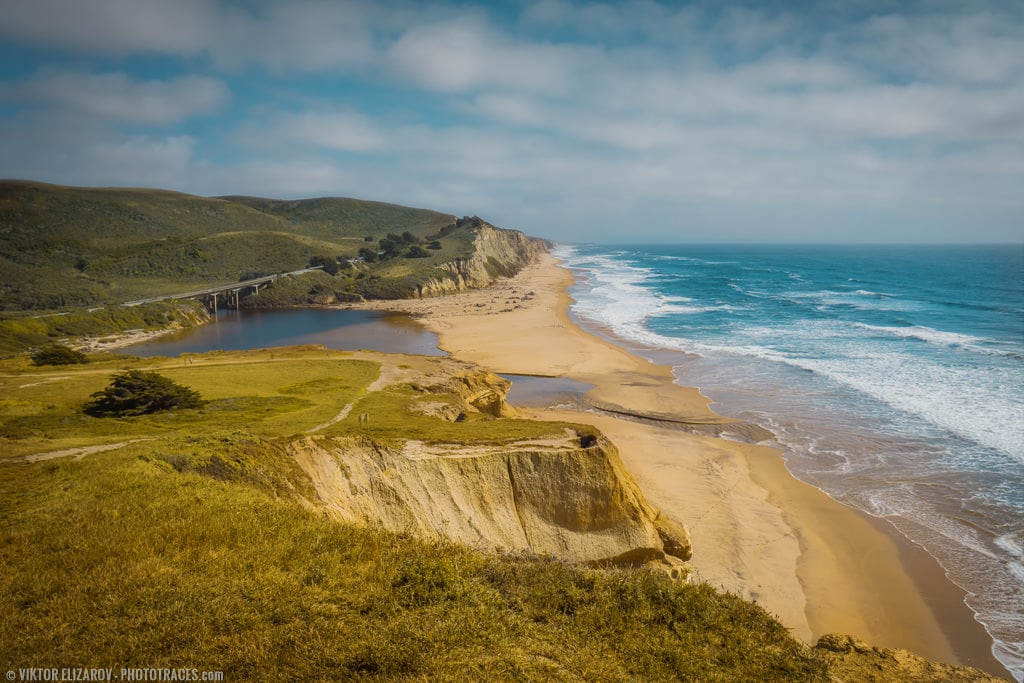
San Gregorio Beach is located halfway between Santa Cruz and San Francisco, along the famous California State Route 1. The view from the beach is spectacular in all directions and it a perfect location for a short hike.
When you are on the beach, it is hard to imagine that such peacefulness and beauty is located only a short drive from the chaos and craze of Silicone Valley.
Loc: 37.323889, -122.402222
Shooting
When I am in the San Franciso area, I always try to avoid driving through Silicon Valley. It is always busy, chaotic and not fun. Instead, when possible, I take a scenic California State Route 1, driving along Pacific shore.
The San Gregorio State Beach is one of my favorites spots where I always stop, hike on top of the hill and take a couple of the shots. If you are looking for more interesting spots when you drive from San Franciso, check the list of 12 awesome stops.
The day I took the featured photo not different. But, the view from the top was far from spectacular with the empty and dull sky. I took a couple of shots anyway.I was on my way to San Francisco.
But only 30 min later the weather changed, and I knew it was my chance to salvage San Gregorio Beach photos. I stopped at another beach and took a set of photos with the goal to use sky area as the source for sky replacement.


- Camera: Sony a6000
- Lens: Sony 16-70
- Focal Length: 16mm
- Shooting Mode: Aperture Priority (A)
- ISO: 100
- Aperture: F8
- Shutter Speed: 1/250s
- Tripod: FEISOL Tournament CT-3442
- Tripod: FEISOL CB-40D
Processing
I started with the Lightroom Rapid Editing workflow. I applied Drought style preset from Landscape Collection to main beach image, and later I used adjustment presets from TOOLKIT to tweak the image.
Lightroom Editing Formula: Drought (1, 9, 11, 31)
Next, I used the Lightroom shortcut Ctr+Shift+C to copy editing setting. Next, I selected the image with the sky source and used the shortcut Ctr+Shift+V to apply the same settings. Check my tutorial: Top Lightroom Keyboard Shortcuts
I jumped to Photoshop and used the transparency masks to blend two images together.
At the very end, I used Topaz plugins DeNoise to reduce digital noise.

