
Big Sur is one of the most popular locations. It is positioned at the very beginning of the coastal drive only miles away from Monterey. Here, the side of the road is always lined with cars as people try to capture the iconic location.
The last time I was there it struck me that the signature seascapes of California look very different compared to what I witnessed and photographed two to three years ago. Why? The reason for that was due to the end of the five-year drought in California. The landscapes now look green once again and are not washed out like they were during the drought.
I stopped the car and took a couple of shots for a side-by-side comparison with the photographs I took years prior.
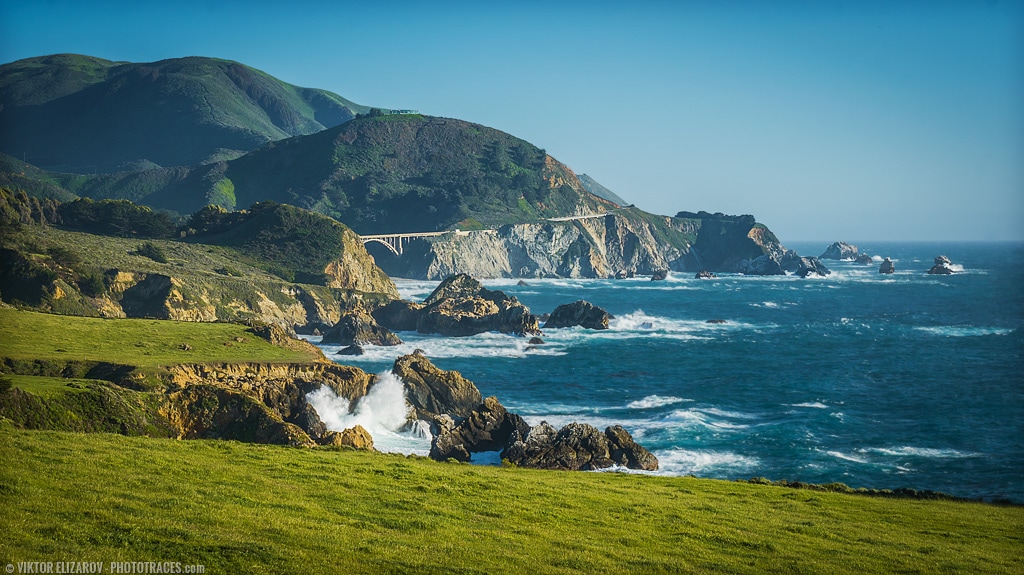
Loc: 36.477280, -121.936359
Here is the photo I took in 2014 from exactly the same spot.

Shooting
I took a couple of bracketed shots from the side of the road. I was on my way in 5 minutes.
- Camera: Sony a6000
- Lens: Sony 16-70
- Focal Length: 47mm
- Shooting Mode: Aperture Priority (A)
- ISO: 100
- Aperture: F16
- Shutter Speed: 1/60s
- Bracketing: 3 (-1, 0, 1)
- Tripod: FEISOL Tournament CT-3442 – Check my FEISOL Tournament CT-3442
- ReviewBallhead: FEISOL CB-40D
Processing
First, I change the aspect ratio from 3 x 2 to 16 x 9 using the Crop Overlay tool in Lightroom. The goal was to minimize the impact of boring, cloudless sky.
From that point, it was a straight forward Lightroom Rapid Editing. I applied Shark Cove style preset from Landscape Collection, and later I used adjustment presets from TOOLKIT to tweak the image.
Lightroom Editing Formula: Shark Cove (9, 13, 17, 32)
At the very end, I jumped to Photoshop and used Topaz plugins DeNoise and Detail to boost the local contrast and to reduce digital noise.
