
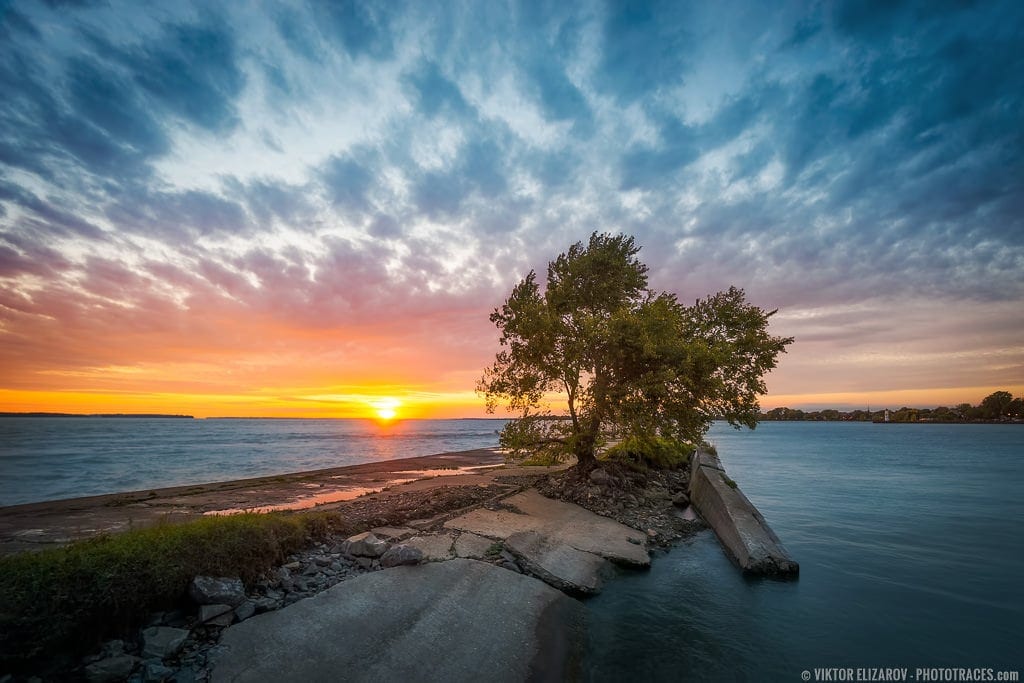
I was planning this shot for a couple of days. I used my favorite app Exsate Golden Hour to pinpoint the time and the position of the sun at sunset
Loc: 45.42919, -73.68833
Shooting
Since I had plenty of time to experiment with the different shutter speed values and various techniques, I ended up with the bunch of different images to choose from. First, I took a series of 3 bracketed shots as I normally do. It resulted in the shot with the aperture value of f/9 and the shutter speed of 1/13s.
Next, I used the


Camera: Sony a6000
Lens: Sony 10-18
Focal Length: 10mm
Shooting Mode: Aperture Priority (A)
ISO: 100
Aperture: F/9
Shutter Speed: 1/13s
Tripod: FEISOL Tournament CT-3442
Ballhead: FEISOL CB-40D
Editing & Processing
It was a single RAW processing workflow.
Lightroom (85%)
With the help of the Crop Overlay tool, I cropped the image to improve the composition without changing the aspect ratio. I also made sure the horizon was straight. Next, I used Autumn preset from my Fall Colors Collection as the base for Lightroom Rapid Editing.
Then I used TOOLKIT to reduce Clarity and boost Contrast.
The Lightroom Preset Editing Formula: Autumn (2, 8, 21, 33, 39)I applied the same editing settings to the second RAW image with the long exposure effect. I exported both images to Photoshop.
Photoshop (15%)
First, I blended 2 images together using the Transparency Masks. Next, I used the Stamp Tool to clean up the image. Plugins: DeNoise (noise reduction), Topaz Detail (local contrast boost).
Total Time: 20min
The fall season offers a multitude of opportunities for capturing stunning foliage photos. By following these 12 ideas and tips, you can enhance your photography skills and capture the beauty of autumn in all its glory.
Before & After Transformation
Archiving: I save all my photos as JPEG (quality: 100%) at full resolution and with the help of the Lightroom plugin, I synchronized them with my portfolio on SmugMug for safekeeping, sharing, image hosting, and online sales.
